
Discover where
your music can go.
An interactive harmony map for musicians, composers, and educators. See how notes, chords, and scales connect, hear the possibilities, and shape your next progression.
Runs entirely on your computer. No subscription fees. One purchase to own the software.
For the music you haven’t made yet.
Be first to hear when NeueHarmonic launches—and get access to early-bird pricing. Unsubscribe anytime.
Sign up for launch emails. App access comes at launch.

A new way into your next progression.
Explore overlapping scales on the Tonnetz, compare relationships with the Rosette, and choose the sounds you want to keep.
01 // See the connection
Scales become places
you can explore.
The Tonnetz arranges notes by musical intervals: fifths, major thirds, and minor thirds. In NeueHarmonic, colored fields show scale collections on that map, making their shared notes easier to see.
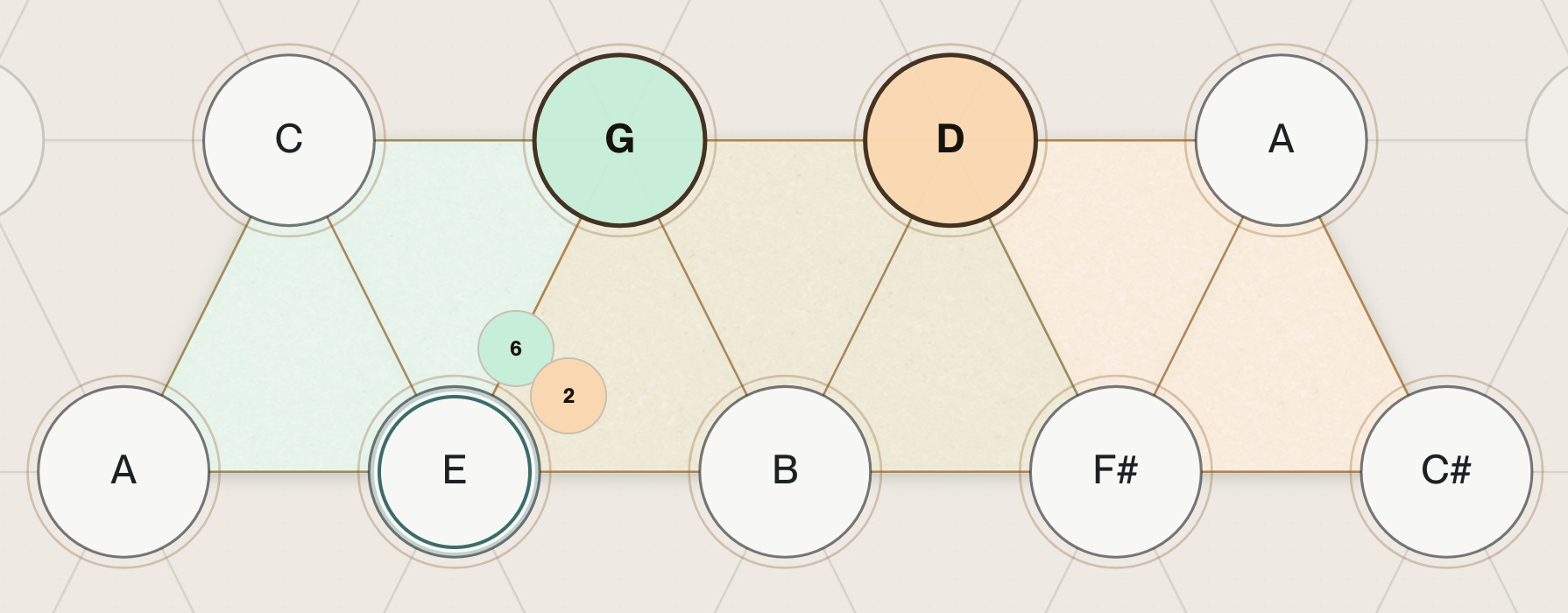
Same chord. A different place in the story.
Em7 belongs to both.
Em7 contains E, G, B and D—all found in both G major and D major. It is the sixth-degree chord in G major and the second-degree chord in D major. The notes stay the same; the context changes.
Try it // Explore the relationships
Same map.
A different perspective.
Switch between notes and numbers, then change the reference field. The pitches stay in place. The numbers describe their relationship to your chosen tonic.
Interactive illustration · no audio. Highlighted nodes show the selected scale: seven notes in the major trapezoid or eight in either sixth-diminished scale. The triangle contains both major and minor possibilities. Numbers show intervals from the reference tonic, not chord qualities.
02 // Keep your place. Change your perspective.
One note.
More than one way forward.
The Rosette shows how one note relates to your selected fields. Stay on C and see it as degree 1 in C major, degree 5 in F major, or degree 3 in A♭ major.
Each number points to a different field. You can explore those relationships without losing your place on the map.
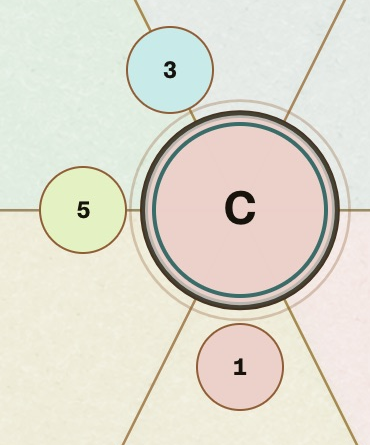
A Rosette number describes the selected pitch’s relationship to a field. To tell whether a whole chord belongs to a scale, consider all of its notes.
03 // Let your ear decide
See where it fits.
Choose how it sounds.
Select a Rosette number to preview a chord. Then explore its quality in the Chord Editor. Change the preview’s quality to hear the new sound before you add it to your progression.
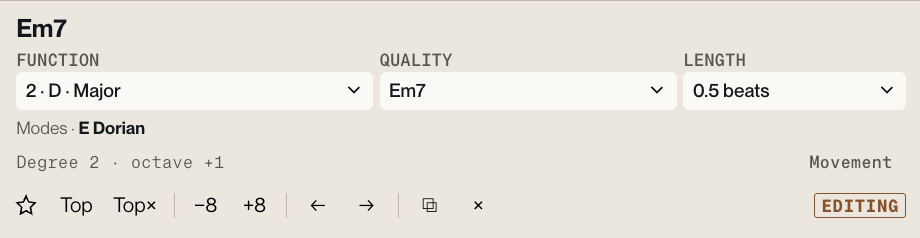
From a possibility to a passage
Keep the ideas
you want to hear again.
Add a chord, try the next one, and listen to the progression take shape. The map gives you possibilities; your ear decides which ones belong in your music.
Export your progression as MIDI, or drag it straight into your DAW to keep building.
For composers, it’s another way into a passage. For educators, it’s a shared picture you can point to, play, and discuss.
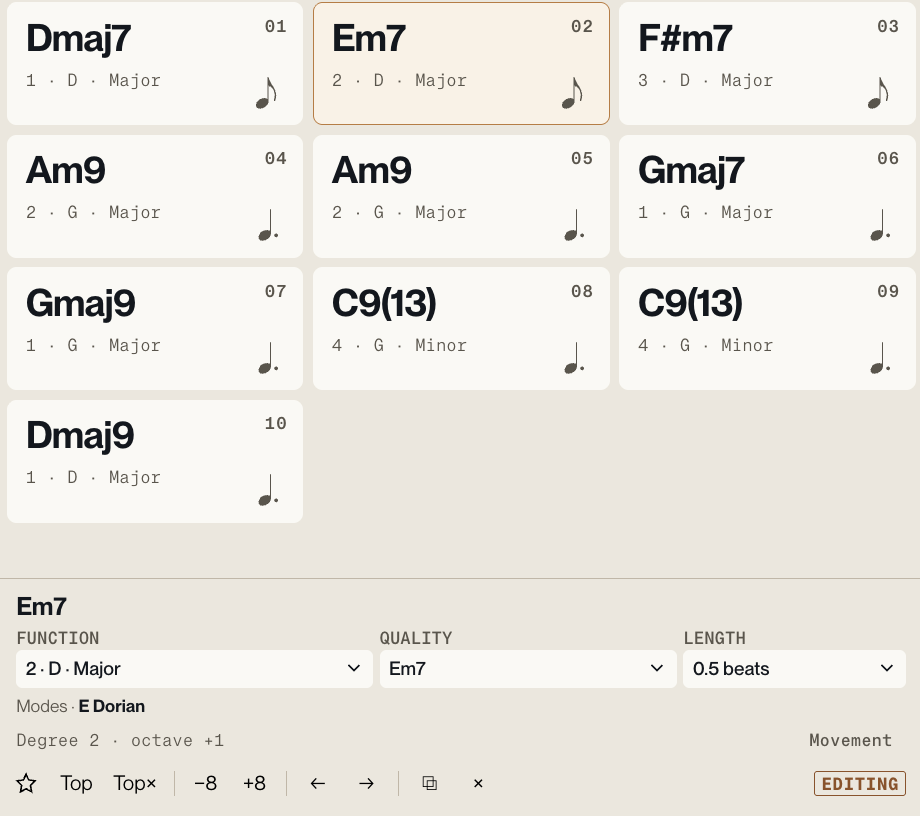
A deeper layer // Barry Harris fields
A triangle.
Two connected worlds.
Barry Harris’s sixth-diminished approach connects a sixth chord with a complementary diminished-seventh chord. NeueHarmonic lays out their notes as a triangular field on the Tonnetz.
The C triangle contains the notes needed for both C major sixth-diminished and C minor sixth-diminished. Each scale has eight notes. They share seven; E changes to E♭ when you move from major to minor.
See what’s inside the triangle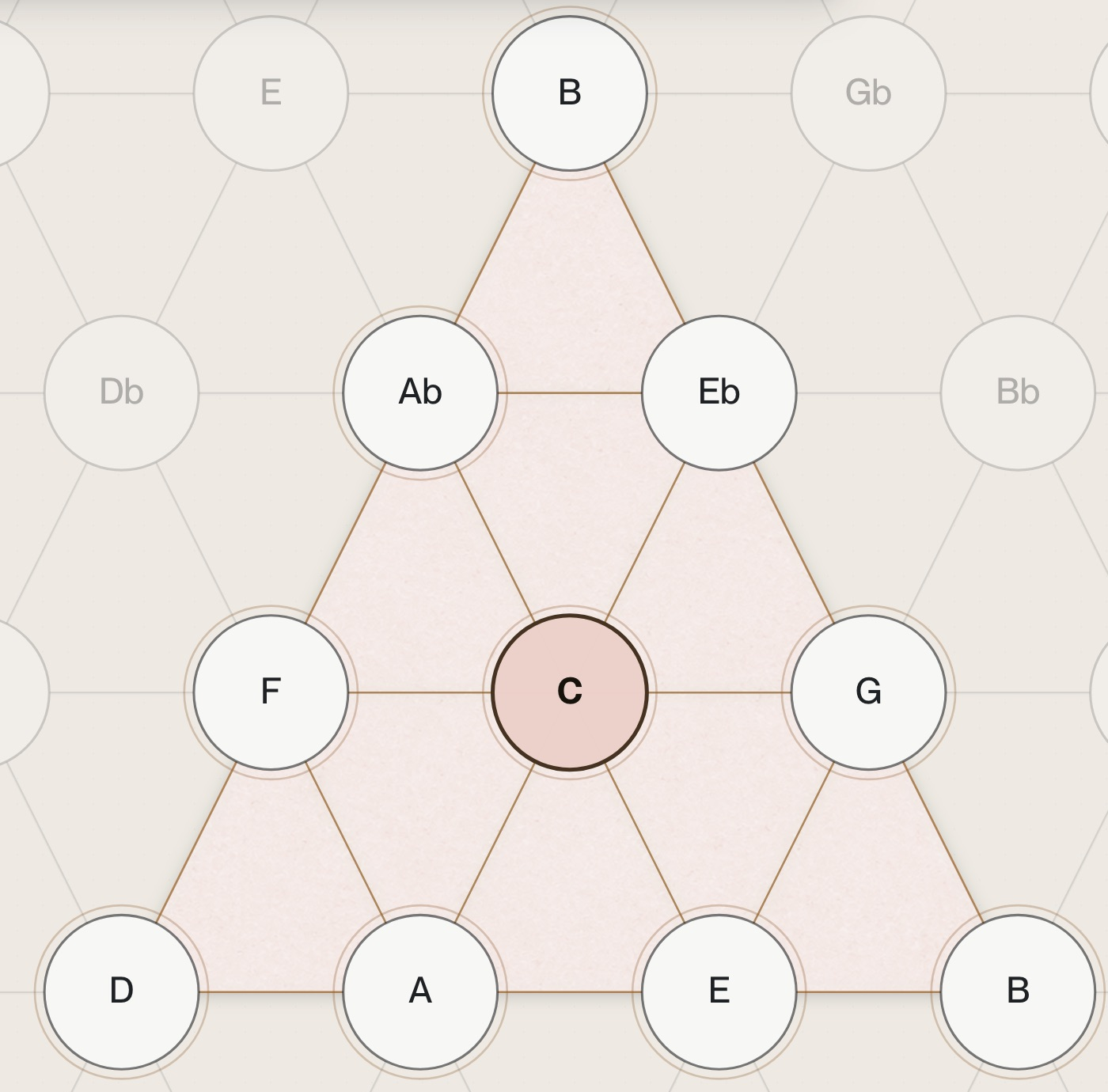
Inside the C triangle
Major sixth-diminished
C6 + Bdim7
C D E F G A♭ A B
Minor sixth-diminished
Cm6 + Bdim7
C D E♭ F G A♭ A B
Each scale has eight notes. Together they use nine distinct pitches; the triangle is a layout containing both, not a separate nine-note scale.
Minor-third direction
Repeating minor thirds traces diminished-seventh symmetry.
Major-third direction
Repeating major thirds traces augmented-triad symmetry.
Circle of fifths
Follow the horizontal direction: D → A → E → B. Continue the cycle to reach all twelve pitch classes.
A note from the maker
“I wanted to build a tool that makes music theory visible and interactive—so you can explore its connections, hear them, and turn what you discover into your own music.”
I’ve spent the past year building toward that idea. NeueHarmonic grew out of the way I visualize, teach, and explore harmony. I want it to invite curiosity: try something, listen, notice a connection, and follow it.
The Tonnetz and Barry Harris’s teaching are foundations I’m building on. My contribution is this way of bringing them together: overlapping fields, the Rosette, and a tool that lets you explore their relationships while making music.
Chris Vinca · Creator of NeueHarmonic
For the music you haven’t made yet
Follow where this goes.
Join the launch list for updates on NeueHarmonic
and access to early-bird pricing.
Launch updates and early-bird pricing. Unsubscribe anytime.